
The following is information on the Home Lighting Control enabled throughout our home.
Current components:
- iMac Computer
- Indigo 2025 software from Indigo Domotics
- Note: the current version of Indigo now supports Z-Wave and X-10 technologies in addition to Insteon
- iDevices (e.g., iPad, iPhones, iPod Touch, etc.) are mostly used to control system
- Insteon technology devices
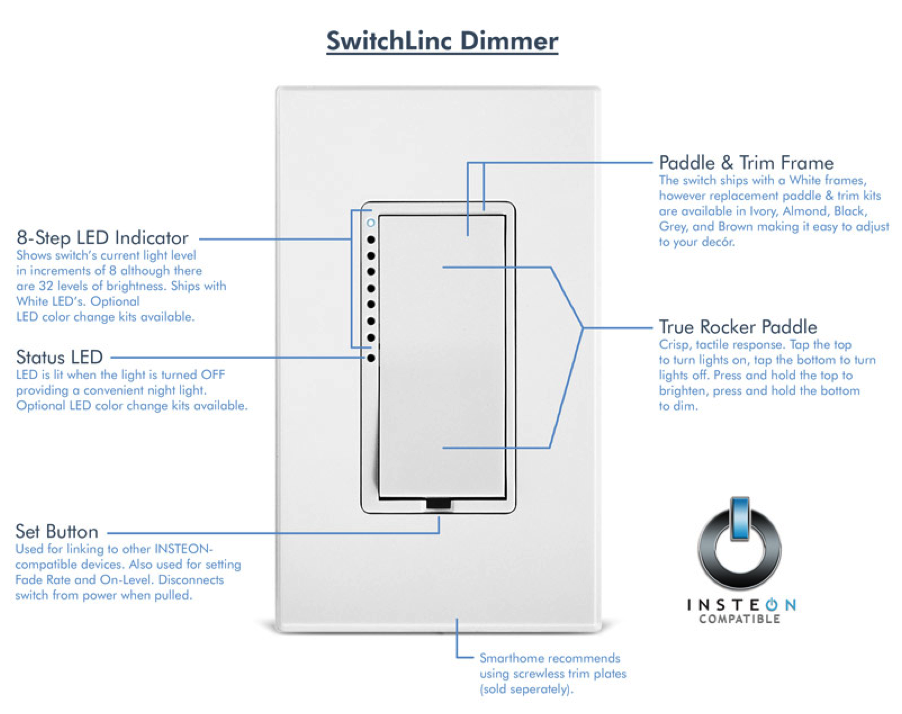
- Insteon Light Switches
- Insteon USB Interface Module
- Insteon Motion Detectors
- Insteon Water Leak Sensors
The Indigo software was downloaded from the company’s site. The Insteon devices were ordered from www.smarthome.com.
A little history…
I started out on my home automation journey around 2005 using the relatively inexpensive X-10 technology. X-10 was simple to install and operate and provided a great deal education of what I wanted in a home automation system. But, its shortcomings were apparent when I went to upgrade to my current system.
The advantages of my current Insteon-based system over the X-10 system includes:
- The dual-mesh (works on both RF signals and electrical wiring) network feature of the Insteon technology creates a stronger network as more devices are added. All nodes repeat the command signal which strengthens the command signals sent around the home.
- Allows for both RF and PowerLine (electrical system) capabilities (where X-10 principally was a PowerLine system)
- More scalable: # of products controllable per network: Insteon: 16.8M devices; X-10: 256 devices
- Insteon still provides backwards compatibility support for X-10 devices
- Insteon provides for feedback to software (Indigo) and devices to show if they are on or not. X-10 did not provide that type of feedback.
- Allows you to set ramp-rates on how fast the lights turn on. This is helpful in providing lighting that is not just “instant on” and it supposedly saves on light bulb costs since lights just don’t come on rapidly and therefore, pop.
The following are possible applications with the Insteon technology:
- Scene and remote control lighting
- Water Leak Sensors
- Security alarm interfaces – I’m currently using Alarm.com’s system
- Access control (e.g. door locks)
- Heating and cooling (HVAC) control and management (I’m using Alarm.com’s system)
- Audio-video control (I’m using the Sonos audio system for this now)
- Appliance management
- Energy savings
(the bold items are what I’m currently using the system for)
The Insteon system basically required that I replace my light switches with Insteon-enabled switches that have unique, programmable capabilities. When used in conjunction with the Indigo software and the iDevice controller apps, our entire home lighting system can be controlled by timers, triggers, remote controls (i.e., any iDevice) and using the actual switches themselves. Basically, each switch and motion detector has a unique address that identifies itself and allows for that device to be programmed, trigger or timed, as desired.

Insteon Devices shown in Indigo Software
Some of our current uses of this system include:
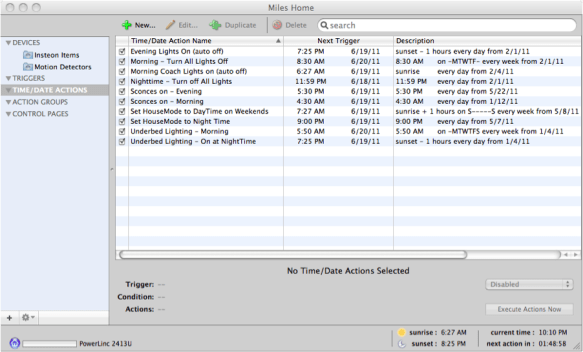
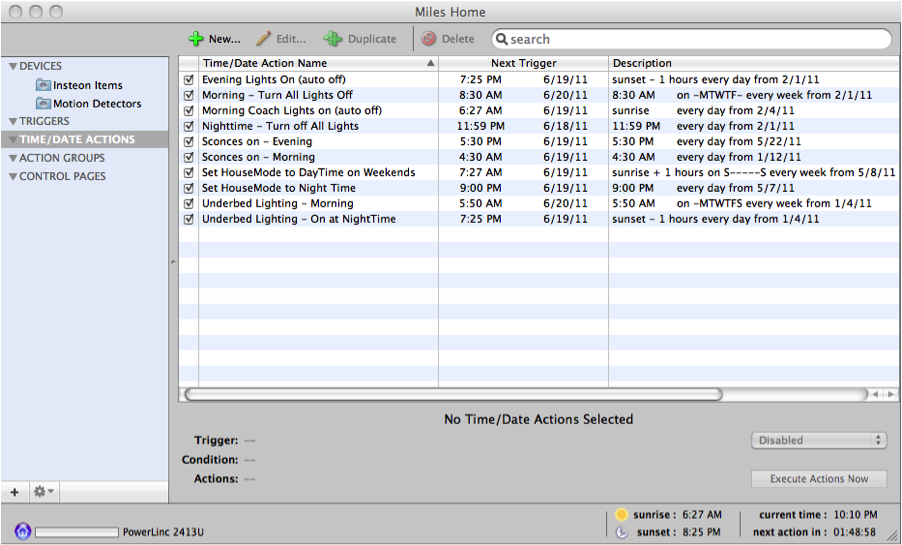
Timed events:
- Setting front porch and outdoor lights to come on based on timed events (e.g., at dusk and dawn w/ shut-down at specified times)
- Ability to control Holiday lighting (e.g., Christmas Tree, outdoor ornamental lighting, etc.) based on time of day.
- Executing my morning schedule before work that has a predictable room-use pattern.
- Turning off all lights during the weekday automatically at a defined time.
Scene Control (some examples):
- Dimming lights in family room and shutting down other nearby lights when watching a movie.
- Taking the dog out during the night which includes illuminating outside deck and flood lights, and dimmed hallway lights and kitchen lights to reward them with a treat before returning to bed. Then all lights in this scene shut off in approx 7 minutes, after I’ve returned to bed.
- All Lights Off. This is set automatically late at night. Ensures any light left on accidentally is turned off. This is also a scene programmed into one of our Insteon’s multi-keypad devices located near the garage and in the front entryway whereby we can shut down all lights in the house as we are leaving.
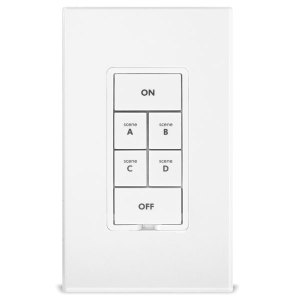
- Entry into house allows for a choice of illuminating a pathway to the upstairs bedrooms and/or to the kitchen areas. Also, one button is programmed to also turn on the iTunes music library to start playing music set up in our whole home audio system documented in a separate blog post.
- Dinner time. Allows for the dimming of lighting throughout the kitchen and dining area.
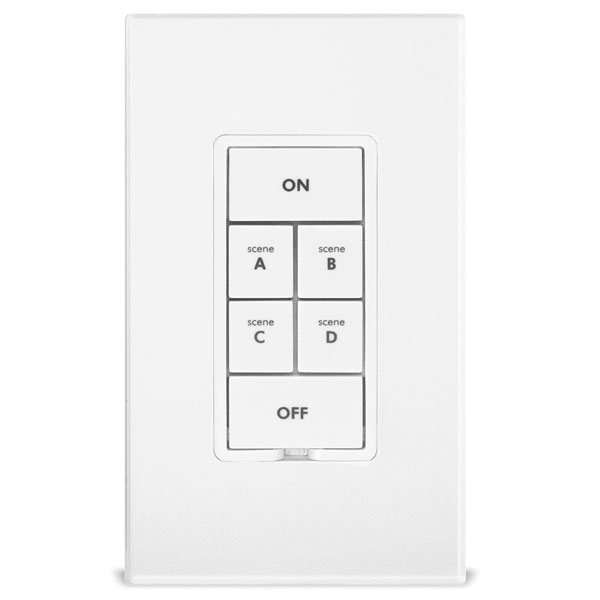
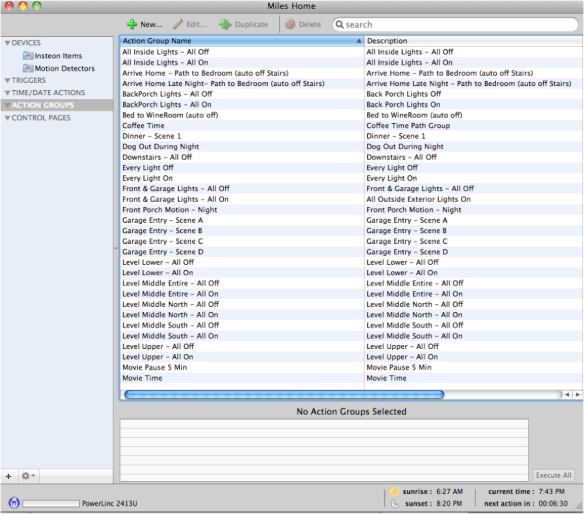
There are dozens of other scenes that have been programmed and the system is designed to be only limited to your imagination or needs.
Triggered Events
Most of these are done based on a certain condition and a motion detector. Some of our triggered events include:
- Garage door opening (when we are returning home) triggers the lights on for the garage, entry walkways, flood lights, etc.
- Front doorway motion. This too is set to turn on the outdoor front lights if motion is detected during the evening. In the past, I’ve also activated a voice command on the computer to announce when such motion has been detected so there is a verbal notification too (a feature of the Indigo software).
- Departure or Arrival (within .25 miles) of my Tesla triggers home announcements and outdoor flood lighting.
- Leak detectors have been placed near appliances/systems that may be prone to leaking. I’ve set up one in the laundry room and one in the MBR toilet. These sensors will detect water and then alert (email and audio w/in home) if there is any water detected.
- Certain rooms (primary closet, laundry room, pantry, etc.) trigger a light on when you walk in. This becomes a convenience when you have your hands full.
- In my prior home when I was taking care of my daughter’s cats, motion in daughter’s bathroom initiated by the cats going to their litter box triggered the exhaust fan starting 3 minutes after they entered and automatically shut off after 5 minutes. Improves the “smell” of the house!
Creation of “Pages” on iDevices
The Indigo software allows you to create multiple “pages” which can contain actions, individual lighting controls, etc. We have one page for each living area in the home. In my example below, I pulled together all of my favorites (the ones I use most often) and created a page just for that.
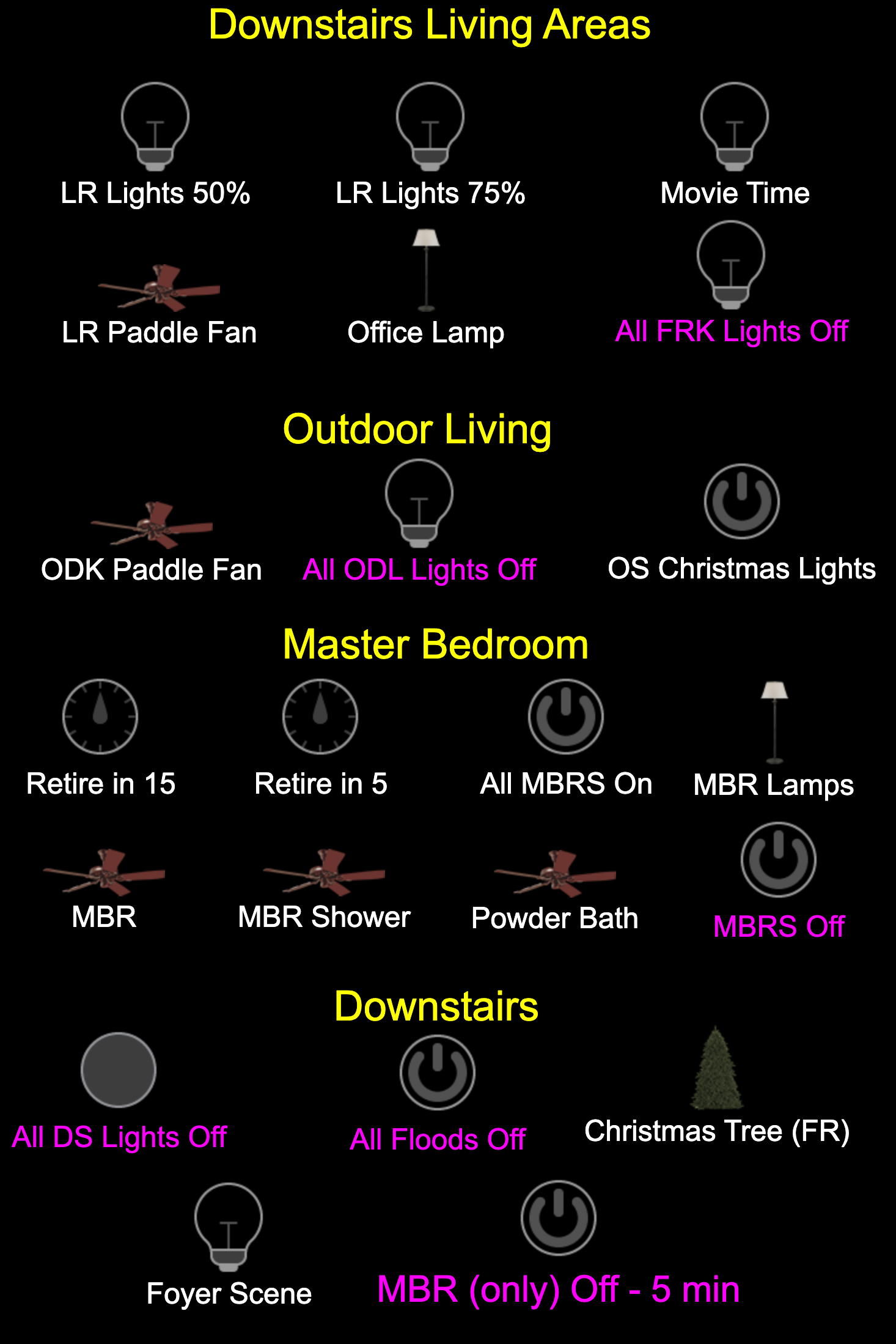
Some future ideas & plans
The following are some of the future ideas I have for the use of this technology:
- Integrating with Amazon’s Echo/Dot (currently being developed by Indigo)
- Controlling our outside sprinkler system (would require me to change my watering system)
- Connection of security cameras that include visual access and triggered events (again, I’m using Alarm.com’s security system for these functions)
 bobmilesblog